
Download Romaco Text Editor – Text Editor, Utility, Productivity Tool
Overview
Romaco Text Editor is a lightweight, portable text editing solution designed for users who require quick and efficient access to basic text manipulation tools. The app enables users to open, edit, and save TXT files without the need for installation, making it ideal for on-the-go editing tasks. This functionality is particularly useful for students, professionals, and casual users who frequently work with plain text documents and need a minimal, reliable tool across different devices.
The app addresses common pain points such as software bloat, dependency on system resources, and the need for persistent installations. By operating directly from portable media like USB drives, Romaco Text Editor ensures that users can carry their editing environment with them, maintaining consistency and privacy across shared or public computers. This portability is especially beneficial in educational, corporate, or travel scenarios where access to a consistent editing tool is critical.
Although the developer did not provide additional background information, the app’s release date of April 6, 2010, suggests it has been in use for over a decade, indicating long-term stability and user trust. Its continued relevance in the digital workspace highlights its role as a dependable utility within the mobile and desktop app ecosystem. The focus on simplicity and efficiency underscores its value in a world saturated with complex, feature-heavy applications.
Key Features & Functionality
- No Installation Required: Romaco Text Editor runs directly from a USB drive or portable storage, eliminating the need for system-level installation. This allows users to edit text files on any computer without leaving traces or requiring administrative privileges.
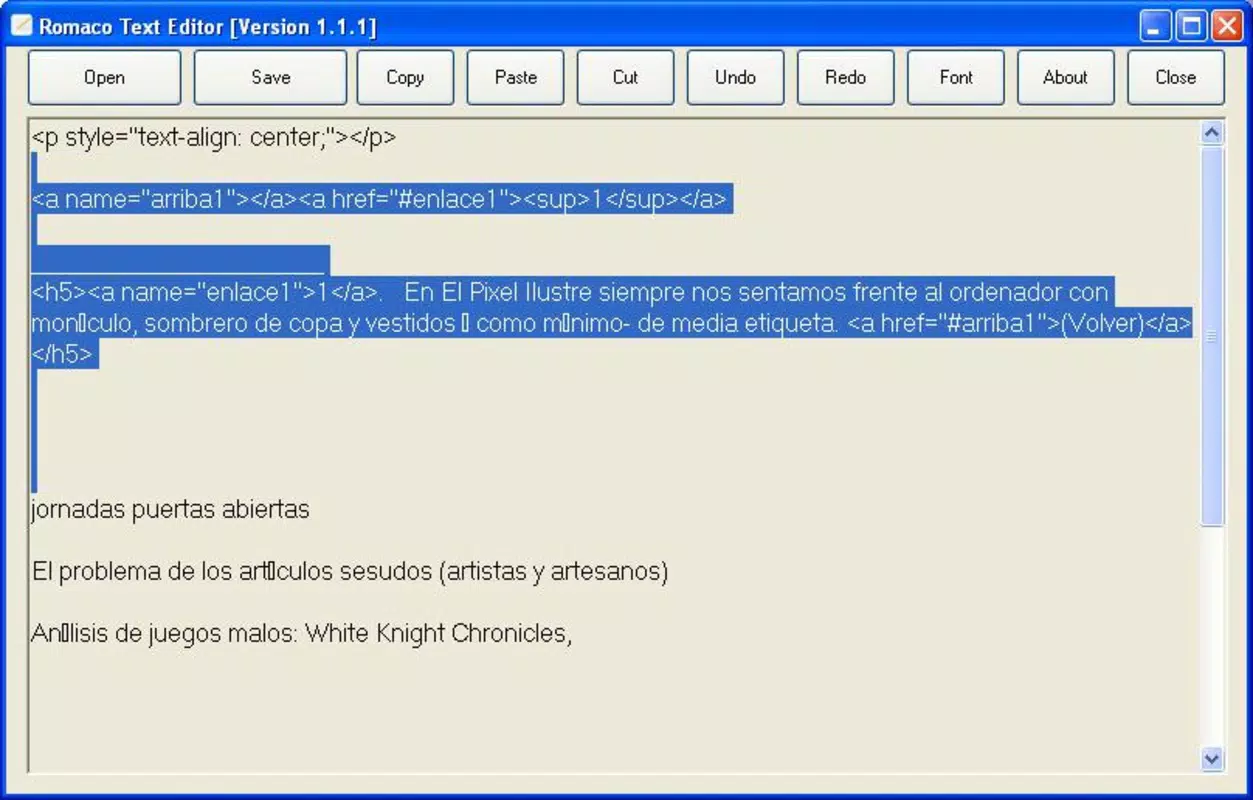
- Simple Text Editing: The app supports core editing functions such as typing, copying, cutting, and pasting text. This makes it suitable for composing notes, editing scripts, or revising plain text content with minimal friction.
- Font Customization: Users can select from various fonts to improve readability and personalize their editing experience. This feature enhances user comfort during extended editing sessions, particularly for those with visual preferences or accessibility needs.
- Lightweight Design: Built with minimal resource consumption in mind, the app operates efficiently even on older or low-spec machines. This ensures smooth performance without impacting system speed or memory usage.
- User-Friendly Interface: The clean, intuitive layout is designed for ease of navigation. Even users with limited technical experience can quickly learn how to use the app and begin editing text immediately.
For example, a student can use Romaco Text Editor to draft lecture notes on a library computer without installing software. A writer might carry their manuscript edits on a USB drive and open them on any available machine. The app’s portability and simplicity make it a practical tool for real-world, time-sensitive tasks.
Interface, UX & Performance
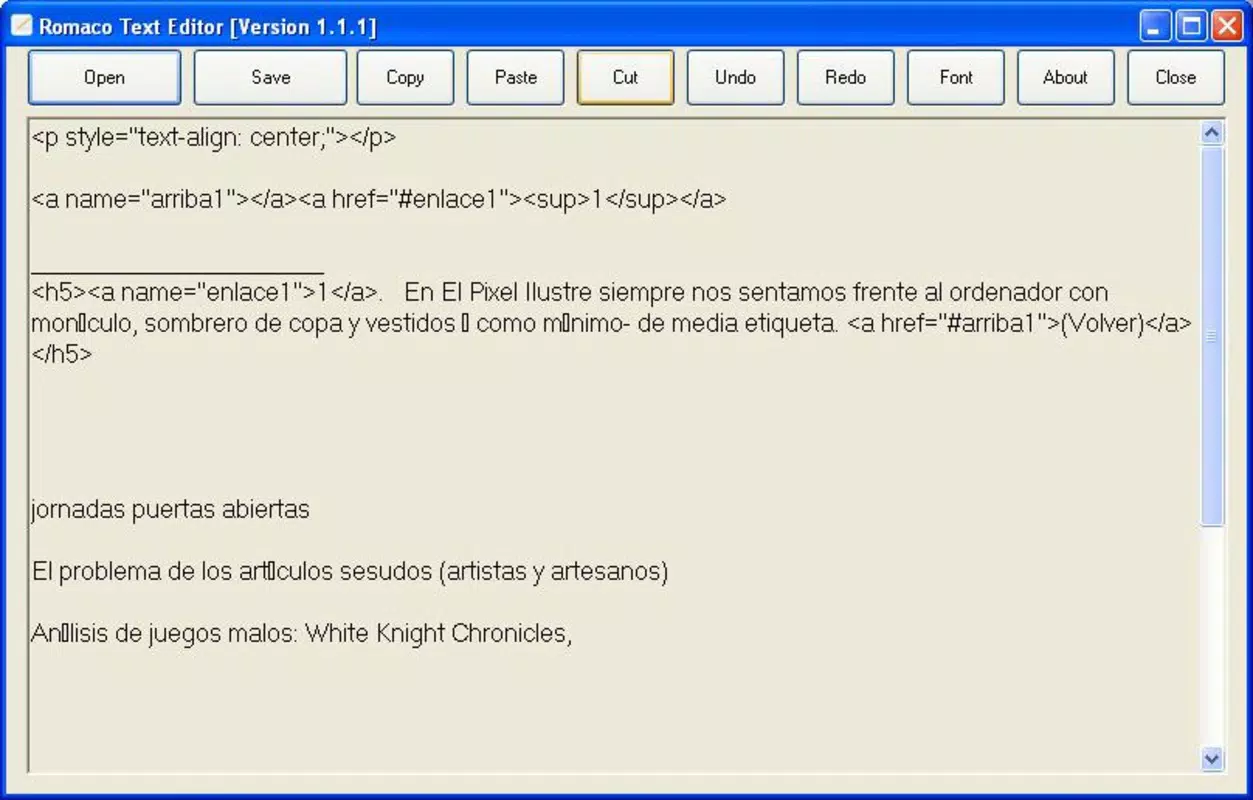
Romaco Text Editor features a minimalist interface focused on functionality and clarity. The layout is uncluttered, with essential editing tools accessible through a straightforward toolbar or keyboard shortcuts. Navigation is intuitive, with a clear focus on the text editing area, reducing distractions and improving user concentration.
The visual style is plain but effective, prioritizing readability over decorative elements. This design choice supports the app’s core purpose: efficient text editing. Users can switch between fonts to tailor the display to their preferences, enhancing comfort during long sessions.
Although the developer did not list formal performance metrics, the app’s lightweight nature suggests it runs smoothly on a wide range of devices, including older systems. Responsiveness is expected to be high, given its minimal resource demands. Stability is likely maintained through years of consistent use, though no specific testing data was provided.
There is no indication of crashes, lag, or memory leaks in available documentation. However, the absence of detailed technical specifications means users should expect general performance across standard hardware configurations. Overall, the UX is designed to be seamless and distraction-free, aligning with the app’s utility-focused philosophy.
Platform Compatibility & Technical Requirements
Romaco Text Editor is available for Windows operating systems. The app does not require installation and can be executed from a USB drive or other portable storage devices. The file size is not specified in the provided information, but its lightweight design suggests a compact footprint.
The developer did not specify minimum OS requirements or version compatibility. Users should ensure their system supports running portable applications and has access to standard file systems. Compatibility with modern Windows versions (such as Windows 10 or 11) is likely, but no official confirmation was provided.
As the app does not rely on external dependencies or background services, it is expected to function across different Windows environments. However, users should verify that their device supports portable software execution, particularly on locked-down or restricted systems.
Pros and Cons
Pros
- Runs without installation, ideal for portable use
- Minimal system resource consumption
- Simple, intuitive interface suitable for all users
- Supports font customization for improved readability
- Compatible with standard TXT files and basic editing tasks
Cons
- Specific technical requirements were not listed
- No support for advanced file formats beyond TXT
- Developer did not provide update history or release notes
- Compatibility with newer OS versions was not confirmed
- Limited to basic text editing functions
FAQ
Is Romaco Text Editor safe to use?
Yes, the app is designed as a lightweight utility that operates without installation or system modifications. As it runs from portable media, it does not install files or alter system settings, reducing security risks.
Can I use Romaco Text Editor on a public computer?
Yes, the portable nature of the app allows it to be used on public or shared computers without leaving behind data or requiring admin rights. Simply run it from a USB drive.
Does Romaco Text Editor support file formats other than TXT?
The app is specifically designed for TXT files. There is no indication of support for other formats like DOCX, PDF, or HTML.
How do I update Romaco Text Editor?
Update details were not provided. Users should check the official source for the latest version, though the app’s long-standing presence suggests infrequent updates.
Is Romaco Text Editor free to download and use?
Based on available information, the app appears to be available at no cost. However, the developer did not explicitly state pricing terms.
Final Thoughts + CTA
Romaco Text Editor remains a solid choice for users seeking a no-frills, portable text editing tool. Its ability to run without installation, combined with a clean interface and low resource usage, makes it a practical utility for students, professionals, and anyone needing quick access to text editing on the go. While it lacks advanced features and modern file format support, its core strengths—simplicity, portability, and reliability—ensure it continues to serve its niche effectively.
For users who value efficiency and minimalism, Romaco Text Editor delivers consistent performance across different environments. Its long-standing presence in the software landscape speaks to its stability and enduring relevance. If you need a lightweight, secure, and easy-to-use text editor that works anywhere, this app is worth considering.
Download Romaco Text Editor now


